The Glitched Attraction Multiplayer Tips Monitor / Tip Manager
The attraction’s built-in teacher — read every slide before you touch a prop.
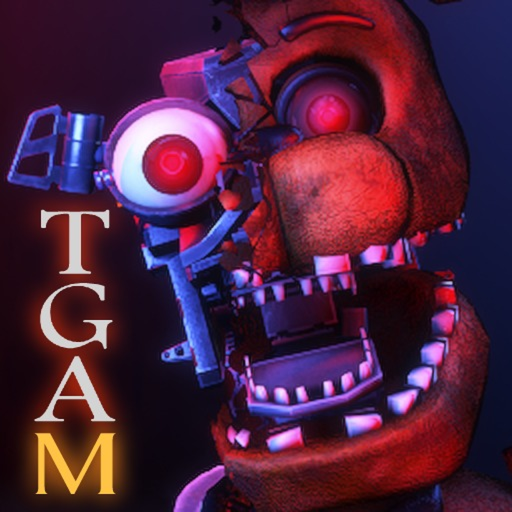
Every wipe that starts with “the interact is broken” usually started with a skipped Tips Monitor. In The Glitched Attraction (PC) and The Glitched Attraction Multiplayer (Roblox), escape rooms teach themselves through an on-rails instructor screen — often called the Tip Manager or tips monitor — before animatronics go live.
This page is the dedicated deep dive. Use it before Nightmares, Toys, Cursed, or Funtimes. If you only want survival verbs afterward, open How to Survive.
What the Tips Monitor is
Per the classic fangame design (documented on community wikis and long-form walkthroughs):
- Most escape levels open with a monitor that pages through tips about threats and puzzle verbs for that room.
- You can usually flip arrows and re-read as many times as you need.
- Background art on tip slides often foreshadows how to avoid a specific danger.
- Many builds let you look around the room safely before you formally start the encounter.
- Lobby and some special stages (historically Lost Media on PC) may teach differently — always obey what your Roblox client shows.
Official Roblox marketing still stresses hide, sneak, survive, and tip-driven escape-room play. The remake inherits that teaching DNA even when prop layouts differ from GameJolt footage.
Lesson pattern (how to actually use it)
Walkthrough commentary across the series repeats the same five habits:
- Check all tips before starting. Do not mash Start on tip one.
- Understand tip N before opening tip N+1. Skimming creates out-of-order prop pulls.
- Study background images. Silhouettes often show the counter (closet, curtain, flashlight burst, door).
- Scout the room while it is still safe if the build allows a pre-start look.
- Start only when the whole squad can repeat the win condition in one sentence.
Co-op groups should appoint one tip reader who narrates; everyone else watches doors. See Co-op Tips.
Why skipping tips soft-locks runs
Escape-room logic is sequential. Symptoms you ignored the monitor:
- Two props “do nothing” because step one never finished
- A lockbox rejects input you invented from memory
- The squad argues about a mechanic the tip already named
- Someone uses the flashlight as a permanent lantern against tip advice
Fix: stop all interacts, reopen the monitor if still available, or replay the last tip line from memory as a group, then take one step.
Solo vs co-op monitor habits
Solo: Take screenshots or slow reads. Your future self mid-chase will not remember slide three.
Duo–four: Tip reader + watch. Nobody else touches props until the reader says the next verb. Silent pubs should still pause at the monitor even if chat is dead — Solo Tips habits apply.
Stage-specific expectations
| Stage | What tips usually stress |
|---|---|
| Lobby | Movement, flashlight pickup, basic hide |
| Nightmares | Closets, darkness, bed-centered checks, safe order |
| Toys | Noise, sticky notes / symbols, Toy-era hunters |
| Cursed | Doors, vents, audio, system pads |
| Funtimes | Hall timing, peeks, tool / shock windows |
When a tip disagrees with a year-old PC video, trust the tip. Roblox layouts and the mid-November 2026 live set can diverge. Track new wings on Updates and Roadmap.
Common mistakes
- Starting the room while a friend is still on tip two
- Ignoring background art that shows the counter animation
- Treating tips as optional flavor text
- Re-pulling random props after a scare instead of re-reading the last tip
- Confusing tip verbs with promo codes
Practice routine
- Enter a room.
- Open the monitor.
- Read every slide aloud once.
- Name the primary threat and the primary puzzle verb.
- Point at one hide before you press Start.
- Only then touch the first prop.
Groups that follow this routine wipe less — not because the game got easier, but because the teacher already explained the test.
Return to the Guides Hub for the full tutorial set. This fan wiki is not affiliated with Scott Cawthon or PowerLine Studios.
Frequently Asked Questions
Quick answers to the most common questions.
Can I re-open the Tips Monitor after the room starts?
Many builds keep tip access generous before Start; after pressure begins, assume you must remember the slides. Read everything first.
Do all levels have a Tips Monitor?
Most escape rooms do. Lobby and some special stages may teach differently. Follow whatever your live Roblox client shows.
Should one player read tips for the whole squad?
Yes. Appoint a tip reader and a watch so four people are not flipping slides and props at once.
Tips disagree with a YouTube walkthrough — which wins?
Your live tip text wins. Videos go stale after remake updates.