The Glitched Attraction Multiplayer Full Walkthrough Structure
Stage-by-stage outline for the Roblox remake, with the reality that more levels may still ship.
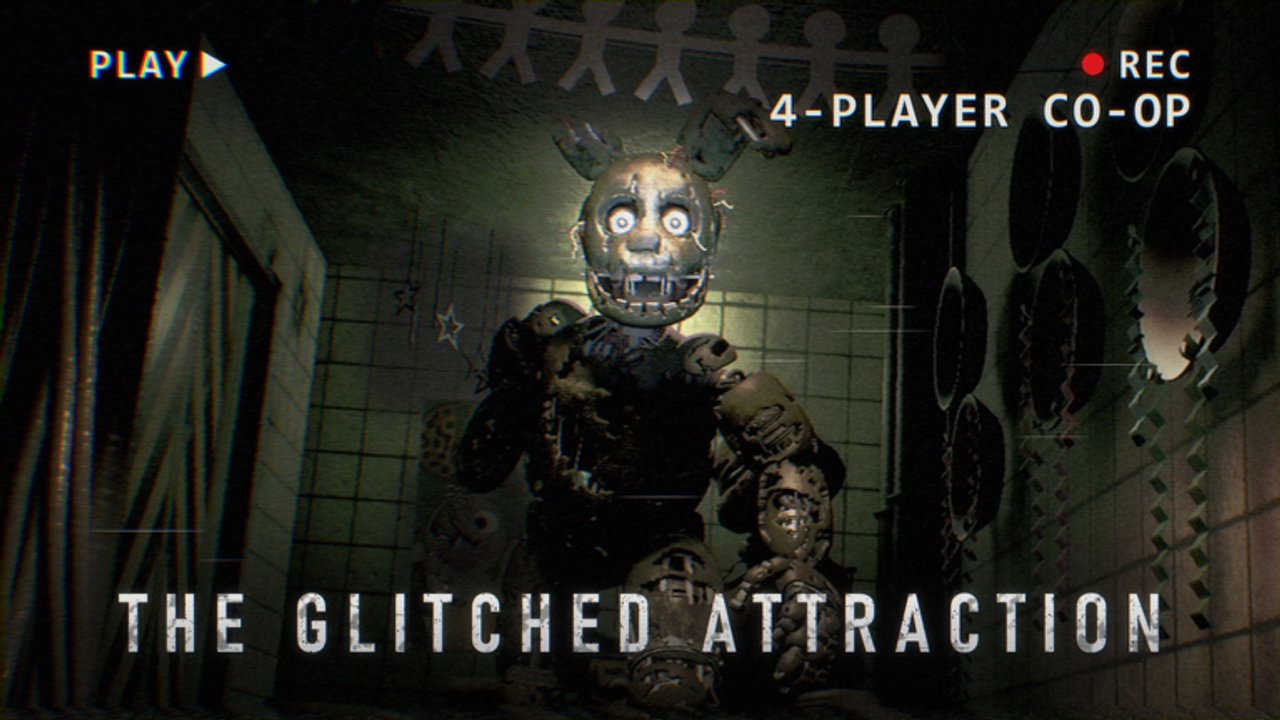
This page is the structural walkthrough for The Glitched Attraction Multiplayer on Roblox. It organizes the attraction into a clear stage order inspired by the classic fangame progression and FNaF-era themes, then shows how to approach each beat without treating the live build as a forever-frozen checklist.
Important: Official messaging for the Roblox experience emphasizes that more levels are coming. Community all-levels videos are excellent snapshots of what is playable when they were recorded. After a content drop, recheck Updates and adjust this outline. Do not assume every PC fangame chapter is already live on your server tonight.
New players should finish Getting Started and How to Survive first. Groups should skim Co-op Tips before attempting long clears. Device friction belongs on Controls.
How to use this walkthrough
- Watch the embedded all-levels video mid-article for visual routing.
- Use the written stage map below as a checklist of themes and goals.
- Open specialized pages when a single stage stalls you (Nightmares Guide, Toys Guide, Cursed Guide, Funtimes Guide).
- Cross-check threat names on Animatronics.
- After patches, verify whether a new stage inserted itself into the order.
Stage map (Roblox remake framing)
The remake follows the spirit of the known Glitched Attraction structure. Exact availability depends on your live build.
1. Lobby / tutorial attraction entry
Goal: Learn tip monitors, basic hide verbs, and interact prompts without full late-game pressure.
Focus: Read every tip. Practice crouch and flashlight bursts. Agree on co-op roles before you leave comfort spaces. If someone is confused here, reset expectations with Getting Started rather than rushing ahead.
2. Nightmares (bedroom, FNaF 4 energy)
Goal: Survive bedroom-scale pressure, manage closets and darkness, and complete the local puzzle chain.
Focus: Flashlight discipline and hide timing matter more than sprinting. This stage deserves its own deep dive: Nightmares Guide. Duo watches help when one player must leave the bed area.
3. Toys (FNaF 2–inspired chaos)
Goal: Navigate Toy-era theming with faster threat vocabulary and busier visual noise.
Focus: Sticky-note symbols, code doors, gear or power rooms, and Toy Chica pressure. Keep a single puzzle lead. Deep dive: Toys Guide.
4. Cursed / Fazbear’s Fright style pressure (FNaF 3 energy)
Goal: Endure a more haunted, system-heavy attraction segment with generator or timer tension depending on what is live.
Focus: Audio cues, Springtrap-style doors and vents, tip order. Panic sprinting is how groups wipe. Deep dive: Cursed Guide.
5. Funtimes (Sister Location energy)
Goal: Handle Funtime-inspired spaces that mix industrial puzzle beats with sudden close-range threats.
Focus: Tesla and Ballora timing, Funtime Foxy peeks, Circus Baby assembly fantasy, shock or tool windows. Deep dive: Funtimes Guide.
Mid-November 2026 live snapshot
Community and wiki framing for mid-November 2026 treats Lobby → Nightmares → Toys → Cursed → Funtimes as the commonly playable Roblox set. Official copy still says more levels are coming.
6. Accident / incident chapters (roadmap unless unlocked)
Goal: Push through narrative “something went wrong” set pieces that escalate stakes when your client offers them.
Focus: Do not assume Accident is live tonight. Treat environmental storytelling as gameplay if the wing unlocks; otherwise stay on the live set above.
7. Lost Media / Back Alley style detours (roadmap unless unlocked)
Goal: Clear side-path horror spaces that break from the main party-room fantasy if present on your build.
Focus: Navigation discipline and chat breadcrumbs. Hedge expectations — these may still be roadmap on Roblox even if classic PC campaigns included them.
8. Basement / ending stretch (roadmap unless unlocked)
Goal: Resolve the attraction’s deeper layer when that content is available on your build.
Focus: Prefer live tip text and the embedded Roblox video over outdated PC ending guides. Recheck Updates after each drop.
Universal clear rules (every stage)
- Tips first. Monitors exist to reduce soft-locks.
- One puzzle thread. See Co-op Tips.
- Hide over heroics. Survival page habits beat clutch sprint myths: How to Survive.
- Expect rollout gaps. If a video shows a level you cannot enter, you are not behind — the Roblox roadmap is still moving.
- Verify after patches. Updates before blaming a “broken” route.
Suggested session plans
Short session (30–45 min): Lobby refresh + Nightmares practice + review wipes.
Standard session (60–90 min): Push the next uncleared live stage with a private four-stack, then stop on a clean checkpoint mindset even if the game is continuous.
Marathon: Attempt an all-currently-available clear while one player keeps this walkthrough and the tier opinions on Tier List Hub open for difficulty expectations.
Using the all-levels video wisely
The embedded Roblox all-levels walkthrough is the visual spine of this page. Pause when your group hits the same room. Do not watch ahead if you want discovery — or do watch ahead if you are stuck for more than two honest attempts. Never download random “walkthrough scripts”; movement cheats and malware offers are not part of a legitimate clear. Stay on gameplay help pages and the Codes Hub only for real redemptions.
Spoiler etiquette in mixed groups
Before starting, ask whether anyone wants a blind run. If yes, puzzle lead reads tips silently and gives tasks without naming late twists. If no, you may reference stage names freely. Either way, avoid leaking account-security bait or fake “ending codes” from chat. Real promo hygiene lives on the Codes Hub.
When a stage feels impossible
- Confirm binds: Controls.
- Confirm survival basics: flashlight off while relocating, crouch near threats.
- Confirm roles: someone must be on watch.
- Open the specialized guide for Nightmares, Toys, Cursed, or Funtimes when stuck on that stage.
- Compare threat behavior on Animatronics.
- Check whether an update changed the room: Updates.
- Watch the relevant segment of the all-levels video once, then attempt again without the video playing.
After you “finish” what is live
Celebrate the clear, then assume the attraction may grow. Bookmark the Guides Hub and this walkthrough. When a new level ships, add it to your mental map between existing chapters rather than forcing old PC order blindly.
This wiki is a fan resource for the Roblox remake by noahthemako. It is not affiliated with Scott Cawthon or PowerLine Studios. Enjoy the glitch — just keep your callouts cleaner than the attraction’s wiring.
Frequently Asked Questions
Quick answers to the most common questions.
Does this walkthrough include every future level?
No. More levels may still roll out on Roblox. Use this as a structure for current content and recheck Updates after patches.
Should I follow PC fangame guides exactly?
Use them only as thematic context. Prefer Roblox tip monitors, the embedded Roblox walkthrough video, and this page's live-build framing.
Which stage should I deep-dive first when stuck?
Use Nightmares, Toys, Cursed, or Funtimes dedicated guides for those live stages. For anything else, combine this outline with survival and co-op pages.
Is the all-levels video required?
No, but it is the fastest way to resolve routing confusion. Pause it; do not play it over your group's voice call the whole time.